Doneby
Tap it. Done. Everyone knows. When someone feeds the dog or puts the bins out, they tap the big button, the home-screen widget or an NFC sticker, and everyone in the house sees "Fed Biscuit · 7:42 · Tom" within seconds. Stickers are optional: any cheap NTAG213, 215 or 216 sticker works, and the button does exactly the same thing.
Free, with a one-off Household Pro unlock that covers everyone. No ads, no accounts, no passwords.
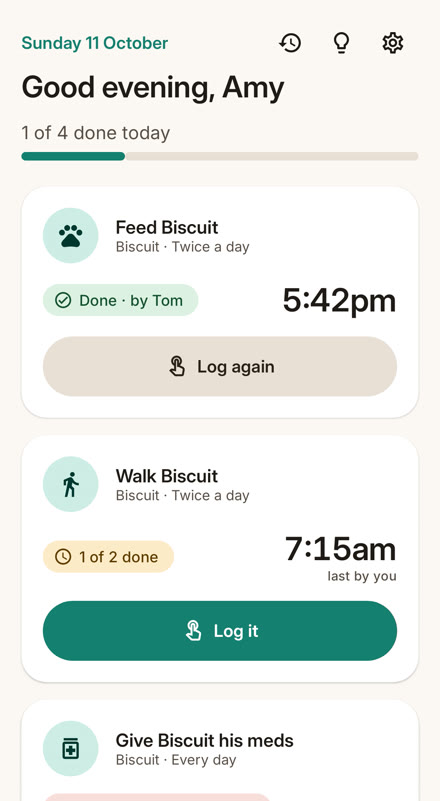
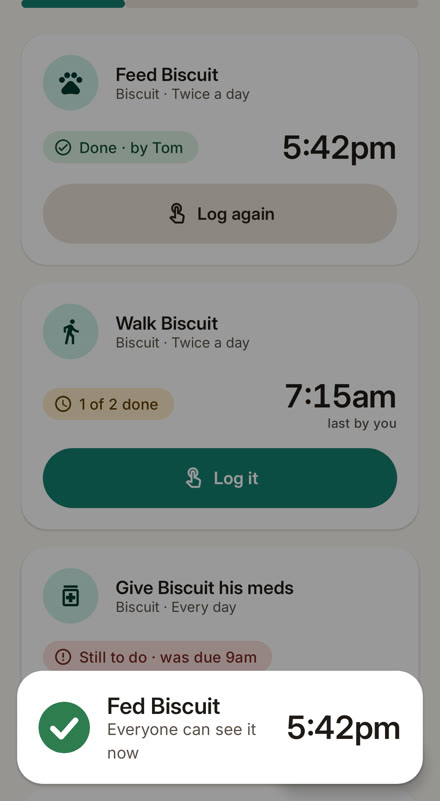
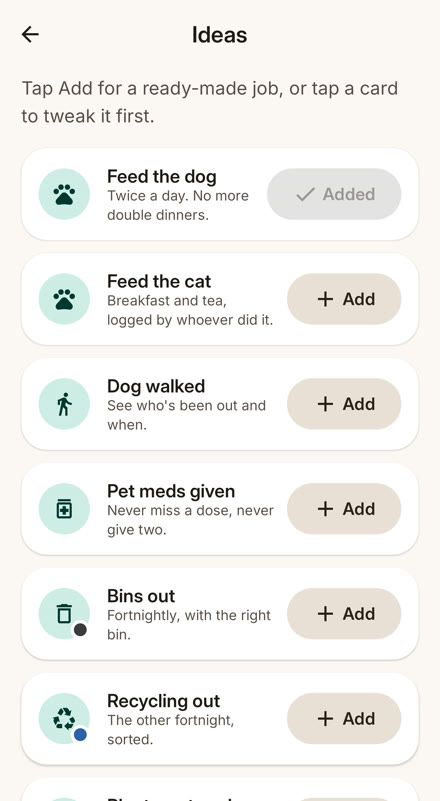
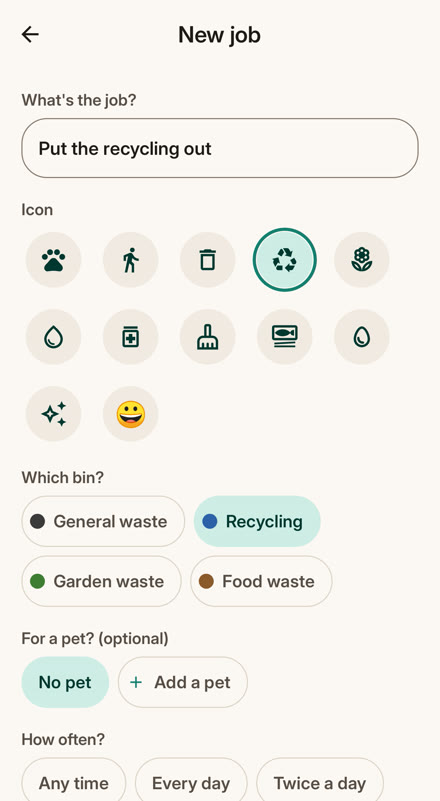
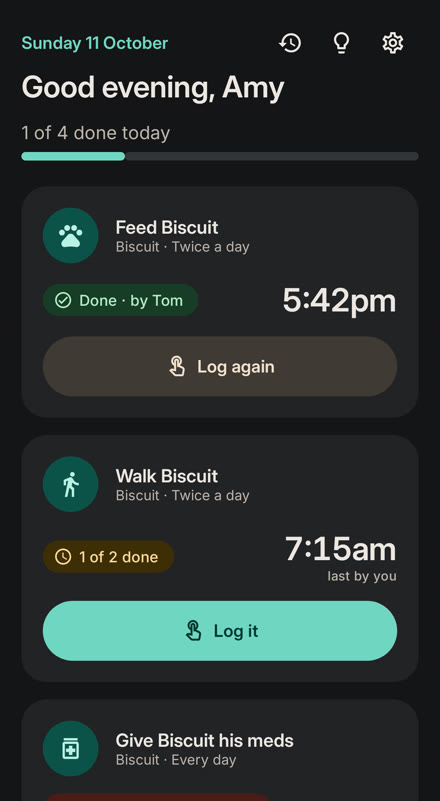
Three households, twelve seconds each
Real screens from the app. Sound off, no surprises.
Optional: a sticker for every job
Put an NFC sticker anywhere a job happens and tell Doneby what it's for. From then on, tapping your phone on that sticker logs that job. No opening the app, no picking from a list. Don't fancy stickers? Skip this bit: the button and widget do the same.
Setting up a sticker takes about ten seconds
Buy a pack of NFC stickers. Any labelled NTAG213, NTAG215 or NTAG216 will do, and they cost pennies each.
In Doneby, tap Add a sticker, pick the job, and hold your phone on the sticker. It buzzes when it's done.
Stick it wherever that job happens. Inside a cupboard door or under a lid works fine.
Tap it whenever the job's done. Anyone in the household can, and the app doesn't need to be open.
Changed your mind? Move a sticker to a new spot, or give it a different job in Settings › Stickers. No stickers yet? Every job also has a big Log it button in the app and on the widget.
Did anyone feed the dog?
Now everyone knows, without a single "did you…?" text.
Gentle reminders
"Nobody's fed Biscuit yet and it's 6pm." Send it to the whole house or just whoever's turn it is. Part of Household Pro.
Everyone sees it
Every phone in the house updates within seconds, right on the home screen widget. No opening the app, no group chat.
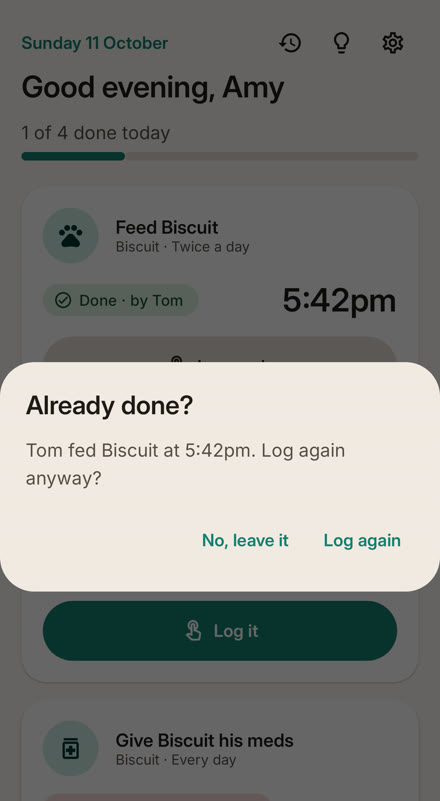
No more double dinners
Try to log a job that's just been done and Doneby checks first: "Tom already fed Biscuit at 7:42. Log again anyway?"
Bins, sorted
General, recycling, garden and food waste, weekly or fortnightly. Put them out the night before and it still counts.
Easy for everyone
Big buttons, plain words and nothing to sign up for. Simple enough for a 9-year-old or a 79-year-old, with a large-buttons mode and full TalkBack support.
Works offline
Log with no signal and it syncs when you're back. If two of you tap at the same moment, both are kept.
What people use it for
Each one is a single tap to add.
Pricing
Free for a small household, with a one-off Pro unlock.
Free
- 1 household, up to 3 people
- 1 pet and 3 jobs
- NFC stickers, widgets and the Log it button
- Double-dinner guard
- Works offline
Household Pro
- Unlimited people, pets and jobs
- Reminders: "Nobody's fed Biscuit yet and it's 6pm"
- History and weekly stats
- One payment covers the whole household
- Supports a small UK studio
One payment. Not a subscription.
FAQ
Do I have to use stickers?
No. Every job has a big Log it button, in the app and on the home-screen widget. Stickers just save you opening your phone. Plenty of households never use them.
Which stickers do I need, and where do I get them?
Any NFC sticker labelled NTAG213, NTAG215 or NTAG216. Search for "NTAG213 stickers" on Amazon or eBay; a pack of 10 or more costs a few pounds. Round ones about 25mm across are easy to stick anywhere. Doneby writes a link onto each sticker, so you can reuse it for a different job later.
How does a sticker know which job it is?
When you set it up, Doneby gives the sticker its own ID and links it to the job you picked. Tap that sticker and Doneby logs that job, for whoever's phone tapped it. You can have as many stickers as you like, even two for the same job in different rooms.
Does my phone have NFC?
Almost every Android phone from the last few years does. Doneby checks for you and shows where the reader is on your phone. If it's switched off, it takes you straight to the right setting. No NFC at all? Everything still works with the button.
My bin store is metal. Will it work?
Metal blocks ordinary stickers. Use an "on-metal" NFC sticker, or stick a normal one on a bit of card or plastic first. The app explains how.
Do we all need an account?
No. There are no emails or passwords. One person creates the household and shares a short code like 7KQ-4MX. Everyone else types it in, picks a name and an emoji, and they're in. Codes stop working after 48 hours.
What if Nan doesn't do apps?
She doesn't have to open it. She can tap the sticker or press the button on the widget. There's a large-buttons mode, and the join code can be read aloud ("7, K for kite, Q for queen…").
What if two of us tap at the same time?
Both taps are kept and everyone sees both. If a job was done recently, the double-dinner guard asks before logging it again. You can undo any log for 10 seconds, or edit it later.
Is it on iPhone?
Not yet. Doneby is Android first. If enough people ask, iPhone comes next.
Who can see our household?
Only the people in it. The owner can remove anyone at any time. There are no ads and no tracking. See the privacy policy for the details.
Questions or ideas? support@gremlingarage.dev · Doneby privacy policy